
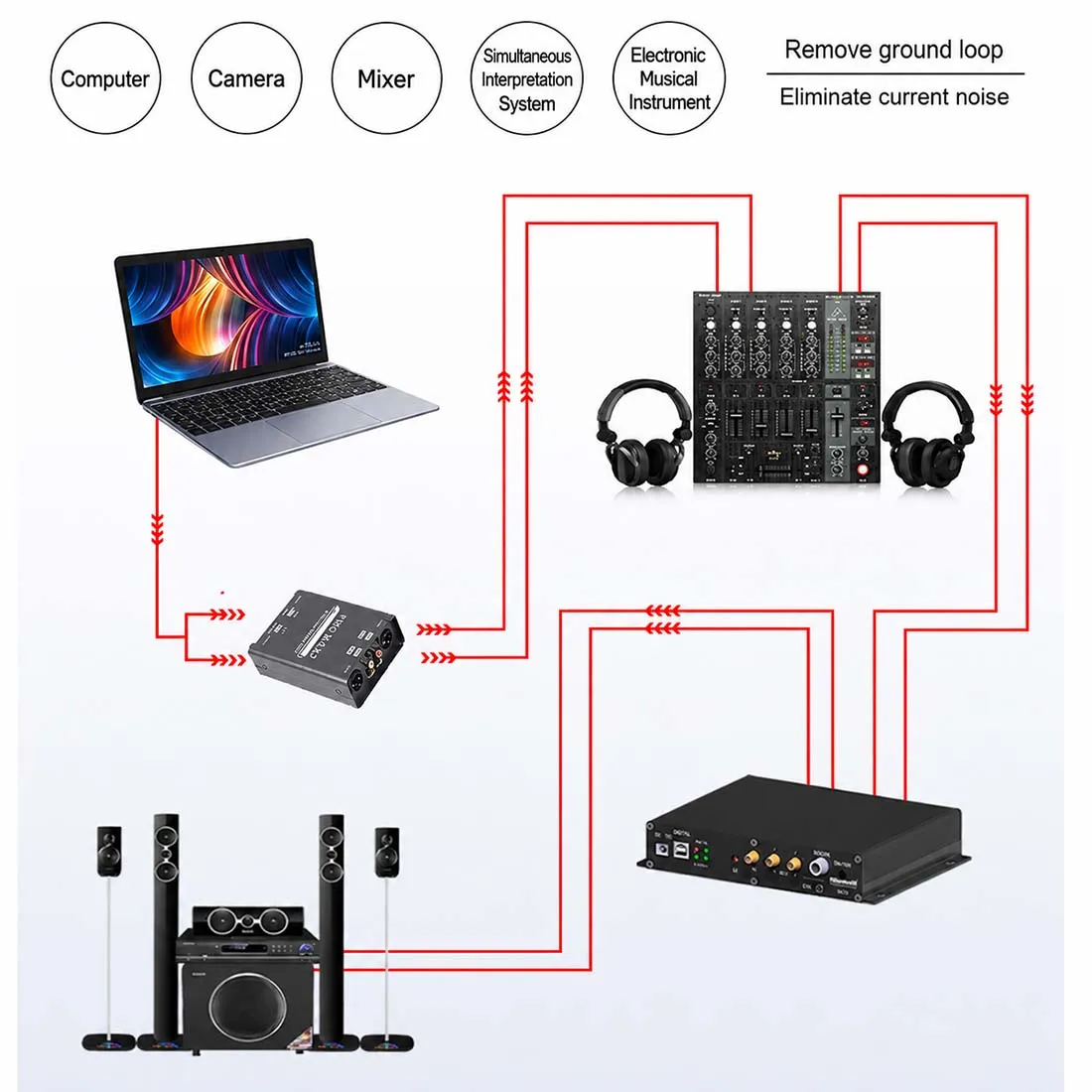
You flip on your active studio monitors expecting crisp, clear sound, but instead, you are greeted by an annoying buzzing or 60Hz hum. Studio monitors are highly sensitive, designed to reproduce every detail—including unwanted electrical noise in your signal chain.
1. Ground Loop Current Across Separate AC Outlets
If your computer, audio interface, and active monitors are plugged into different wall outlets, subtle voltage differences between those sockets force electrical current through your audio cables’ ground shields.
- The Quick Fix: Plug all studio gear into a single power strip.
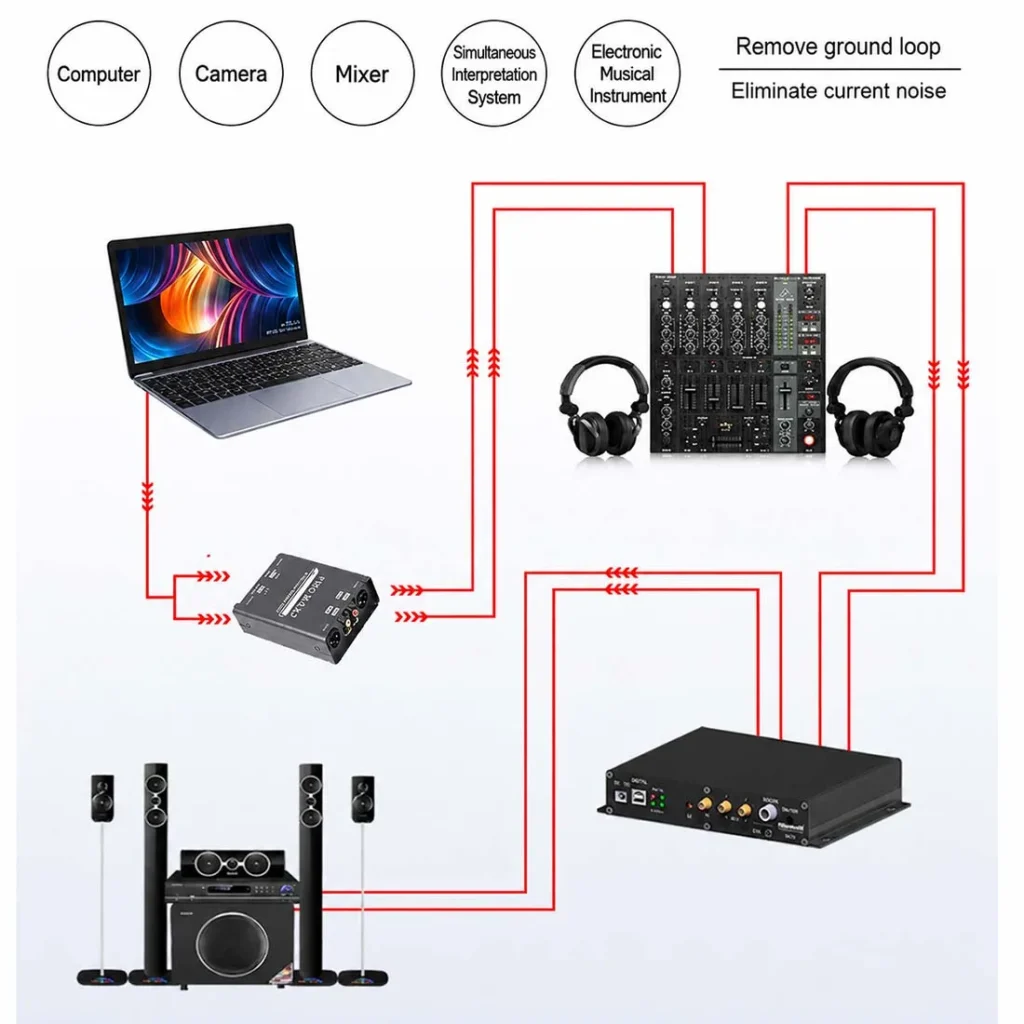
- The Permanent Solution: Install a passive audio isolator between your audio interface and monitors to physically sever the electrical ground loop using 1:1 Audio Isolation Transformers.
2. USB / Thunderbolt Bus-Power Leakage
Laptops and desktop PCs generate intense high-frequency digital noise. When an audio interface draws power via USB, dirty power from the computer’s motherboard bleeds into the interface’s analog outputs.
- The Fix: Place a dedicated isolator box between your interface’s main outputs and your studio monitors. The transformer transfers audio magnetically, completely blocking PC digital hash and hum.
3. Using Unbalanced Cables (RCA / TS) on Long Runs
Unbalanced cables pick up electromagnetic noise from nearby power bricks, monitors, and Wi-Fi routers.
- The Fix: Upgrade to balanced TRS-to-XLR cables where possible. If your gear forces you to mix RCA, 6.35mm, and XLR formats, use a matrix isolation box (like the PRO MAX2) to convert signals cleanly without signal loss.
4. Electromagnetic & Radio Frequency Interference (EMI/RFI)
Running audio cables parallel to power strips, PC power supplies, or cell phones induces electromagnetic hum directly into unshielded lines.
- The Fix: Cross audio and power cables at 90-degree angles rather than running them side-by-side. Ensure your isolator hardware features a thick, fully shielded aluminum alloy casing to block ambient RF noise.
5. Floating Grounds in Home Studio Wiring
Older homes or improvised home studio spaces often suffer from ungrounded outlets, causing floating ground hum that standard switches cannot fix.
- The Fix: Use a unit equipped with a physical GND LIFT (Ground Lift) switch. Toggling the ground lift pin physically disconnects the audio ground line while maintaining safety.
The Complete Hardware Solution: PRO MAX2 Isolator Box
Instead of replacing expensive studio monitors or audio interfaces, adding a professional isolation unit eliminates 95% of studio hum instantly.
| Troubleshooting Scenario | Standard Cable / Cheap Adapter | PRO MAX2 Passive Isolator BOX |
| USB Computer Noise | Fails (Passes digital noise) | 100% Blocked (Galvanic Isolation) |
| Interface to Monitor Matching | Fixed connector types only | Full Matrix (XLR / 6.35mm / RCA) |
| High Output Signal Clipping | Distorts tone | -15dB PAD Switch for clean headroom |
| Chassis Shielding | Plastic / Unshielded | Heavy-Duty Aluminum EMI Shielding |
Frequently Asked Questions:
Why are my active studio monitors making a continuous 60Hz humming noise?
Answer 1:
Studio monitor hum is typically caused by ground loops, USB dirty power leakage from computers, or unshielded cables picking up electromagnetic noise. Installing a passive 1:1 audio isolation box (such as the PRO MAX2) between your audio interface and monitors breaks the ground loop magnetically without losing sound quality.
Will using an audio ground loop isolator reduce my bass or sound quality?
Answer 2:
Cheap plastic isolators often cause low-frequency roll-off. However, professional units built with high-grade 1:1 audio transformers (like the PRO MAX2) preserve 100% of your frequency response and dynamic range while blocking unwanted noise.
Is it safe to use a cheater plug to lift the ground on my studio monitors?
Answer 3:
No. Removing the safety earth ground pin on AC power cords creates severe electrical shock hazards and increases radio frequency interference. Always use a dedicated audio isolator with a built-in GND LIFT switch to break ground loops safely.