
You set up your laptop for a DJ gig, live performance, or podcast, plug in your audio interface or DJ controller, and turn on the PA system. Suddenly, a high-pitched buzzing, clicking, or whining noise fills the speakers.
Then, you perform a quick experiment: you unplug your laptop’s power brick and run on battery power—and the noise vanishes instantly.
As an audio engineer with 20 years in live sound and event production, I see this scenario every single week. Laptop power supplies are notoriously noisy, but you obviously cannot run a 4-hour DJ set or live recording session on battery power alone.
Here is the exact technical reason why your laptop charger pollutes your audio signal, why removing the ground pin on your power cord is dangerous, and how to fix the issue permanently.
The Anatomy of Laptop Power Brick Audio Noise
To understand why laptop chargers create such loud audio interference, we have to look at how modern power bricks operate.
[ AC Wall Outlet ]
       │
       ▼
[ Laptop Power Brick (Switching PSU) ] ──► (High-Frequency Switching Noise)
       │ (DC Cable)
       ▼
[ Laptop Computer ]
       │ (USB / 3.5mm / Audio Cable)
       ▼
[ Audio Interface / DJ Controller ]
       │ (Audio Interconnect)
       ▼
[ PA Mixer / Active Speakers ] ======> High-Pitched Buzz & Whine
1. Switching Mode Power Supplies (SMPS)
Modern laptops use compact, high-efficiency “switching” power supplies. These power bricks convert high-voltage AC wall power into low-voltage DC power by switching electricity on and off tens of thousands of times per second (typically 50kHz to 100kHz).
2. Ground Noise Bleed
This high-frequency switching activity creates severe electrical noise. To satisfy safety and electromagnetic compliance standards, power supply manufacturers dump this excess electrical noise into the AC ground wire.
3. The Audio Path Injection
Because your audio interface or DJ controller is connected to your laptop via USB or 3.5mm audio cables, the dirty ground current from the power brick travels across the laptop motherboard, down the USB shield line, through the audio output ground, and directly into the main PA mixer or active speakers.
Why You Should NEVER Use a “Cheater Plug” (Ground Lift Adapter)
Many DJs and sound techs attempt to solve laptop noise by using a 3-prong-to-2-prong “cheater plug” on their laptop charger to disconnect the wall AC ground pin.
Do NOT do this.
- Electrocution Hazard: Ungrounding a high-wattage laptop charger removes the primary electrical safety path. If an internal short circuit occurs inside the power brick, lethal voltage can energize your laptop’s metal chassis, USB ports, and connected audio equipment.
- Equipment Damage: Stray high-voltage spikes can burn out fragile USB controller chips on your laptop or audio interface.
Golden Rule of Live Audio: Always keep safety earth intact on AC power cords. Disconnect ground loops on the low-voltage audio signal side, never on high-voltage AC mains.
Step-by-Step Diagnostic Sequence
Follow these steps to confirm your laptop power supply is the culprit:
- The Battery Test: Unplug the laptop power brick from the wall. If the noise stops immediately, you have confirmed a laptop power supply ground loop.
- Peripheral Isolation: Disconnect external HDMI monitors, secondary USB hard drives, or powered USB hubs. These devices frequently introduce secondary ground loops.
- Audio Output Check: Test both the built-in 3.5mm headphone jack and your USB audio interface/DJ controller outputs. If the noise persists across both, the ground loop is traveling down your audio interconnects.
The Professional Fix: Passive Audio Line Isolation
To run your laptop on AC power indefinitely without any audio buzz, you must physically interrupt the copper ground path between your DJ controller/audio interface outputs and the house PA mixer or active speakers.
This is accomplished using a 1:1 Passive Audio Isolation Transformer.
[ Laptop + Power Brick ]
       │ (USB Cable)
       ▼
[ DJ Controller / Audio Interface ]
       │ (RCA / 6.35mm / XLR Out)
       ▼
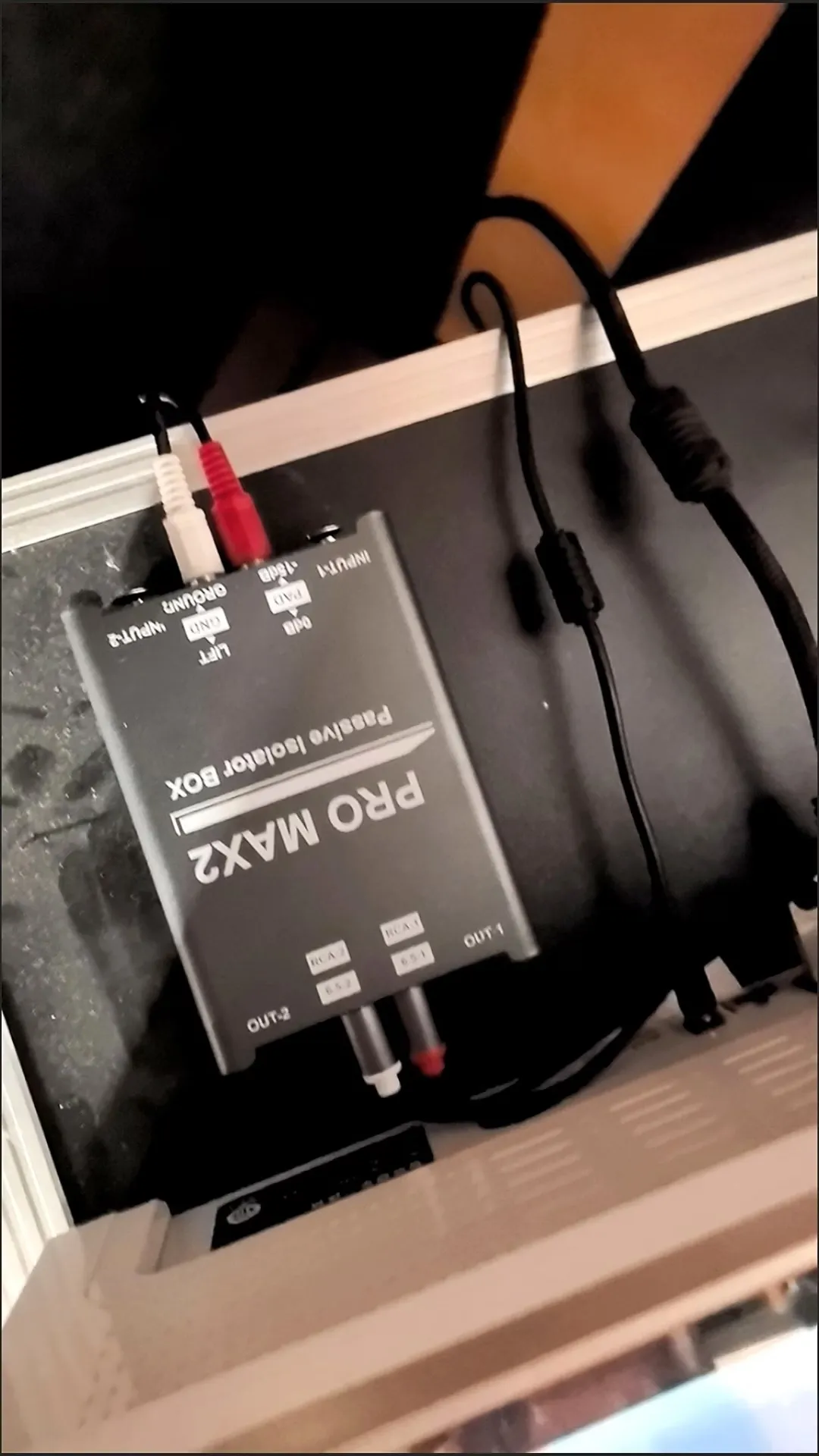
[ FS-ELEC PRO MAX2 Ground Isolator ] ──► (Galvanic Transformer Break + Ground Lift)
       │ (XLR / 6.35mm Out)
       ▼
[ Front-of-House PA Mixer ] ========> Pristine, Silent Audio!
Why the FS-ELEC PRO MAX2 is Essential for DJs and Live Performers
When performing live, you need a rugged, multi-purpose isolator that handles any cable setup thrown at you by venue engineers. The FS-ELEC PRO MAX2 is engineered specifically for high-stress live environments:
- True Galvanic Isolation: Premium audio transformers transfer sound magnetically rather than via direct copper wire contact, completely severing dirty laptop ground currents before they reach the PA.
- Universal Matrix Connections (RCA, 6.35mm TRS, XLR):
- Connect unbalanced RCA outputs from Pioneer DDJ / Traktor DJ controllers straight into the PRO MAX2.
- Run balanced XLR or 6.35mm TRS cables out directly to active PA speakers or house snakes—no adapter dongles required.
- -15dB PAD Attenuation Switch: DJ controllers often produce hot, uncalibrated output signals that can clip house mixer inputs. Flipping the -15dB PAD prevents input distortion and maintains pristine dynamic headroom.
- 20Hz – 25kHz Flat Frequency Response (±0.2 dB): Eliminates cheap isolator “muffing,” ensuring deep club sub-bass (30Hz–60Hz) and crisp high-end DJ scratch details translate perfectly to the main floor.
- Heavy-Duty Shielded Steel Housing (470g): Industrial metal construction easily withstands physical abuse in gig bags and shields internal transformers from stage lighting dimmers and venue wireless interference.
Summary Checklist for Silent Laptop Setups
- Keep your laptop charger plugged into safety grounded AC power at all times.
- Never use AC “cheater plugs” to remove ground pins on power supplies.
- Insert a dual-channel passive ground isolator like the FS-ELEC PRO MAX2 between your DJ controller/interface outputs and the house PA system to permanently eliminate laptop charger buzz.
Frequently Ask Question:
A: Modern laptop power supplies dump high-frequency switching noise into the AC ground wire. This dirty ground current bleeds through your USB audio interface into connected speakers, creating audible buzzing.
A: No! Removing the AC ground pin creates a severe electrocution and equipment damage hazard. Ground loops should always be disconnected on the audio signal cable using a passive isolator.