
Nothing ruins a live gig faster than a massive 60Hz or 50Hz hum blasting through a venue’s PA system during soundcheck. In live environments, where DJ controllers, laptops, active subwoofers, and Front of House (FOH) mixers draw power from completely different electrical circuits across the venue, ground loops are almost guaranteed.
Why Live Stages & DJ Rigs Are Prone to Audio Hum
- Phase-Separated Venue Power: FOH mixing consoles and stage power drops are often connected to different electrical phases or breakers, creating a high voltage differential along the audio cable shield.
- Laptop Power Supplies (DJ Booth Nightmare): Switch-mode power bricks for MacBooks and PCs dump dirty high-frequency ground noise directly into DJ controllers via USB.
- Unbalanced Long Cable Runs: Running long RCA or TS cables from a DJ booth to a stage box picks up massive electromagnetic interference (EMI) from stage lighting, LED walls, and dimmer racks.
4 Actionable Steps to Fix 60Hz Hum on Stage
1. Toggle the Ground Lift Switch (GND LIFT)
When a ground loop forms between a stage mixer and a main PA or subwoofers, toggling a physical GND LIFT switch breaks the electrical connection between the input and output ground shields while keeping audio signal pins intact.
2. Attenuate Hot Line-Level Signals
DJ mixers often output extremely hot signals that overpower standard DI boxes, causing clip distortion alongside hum. Use a -15dB PAD switch to drop the incoming line level down to a clean headroom range before it hits the mixing board.
3. Convert Unbalanced DJ Signals to Balanced Matrix Outputs
Never run consumer RCA lines directly to a venue box over long distances. Pass RCA or 6.35mm outputs through a transformer isolator to output balanced XLR signals directly to the FOH snake.
4. Deploy 1:1 Transformer Galvanic Isolation
Inserting a professional passive isolator between the DJ controller and the venue PA physically severs all electrical wiring connections. The audio signal is transferred purely through magnetic induction via internal shielded transformers.
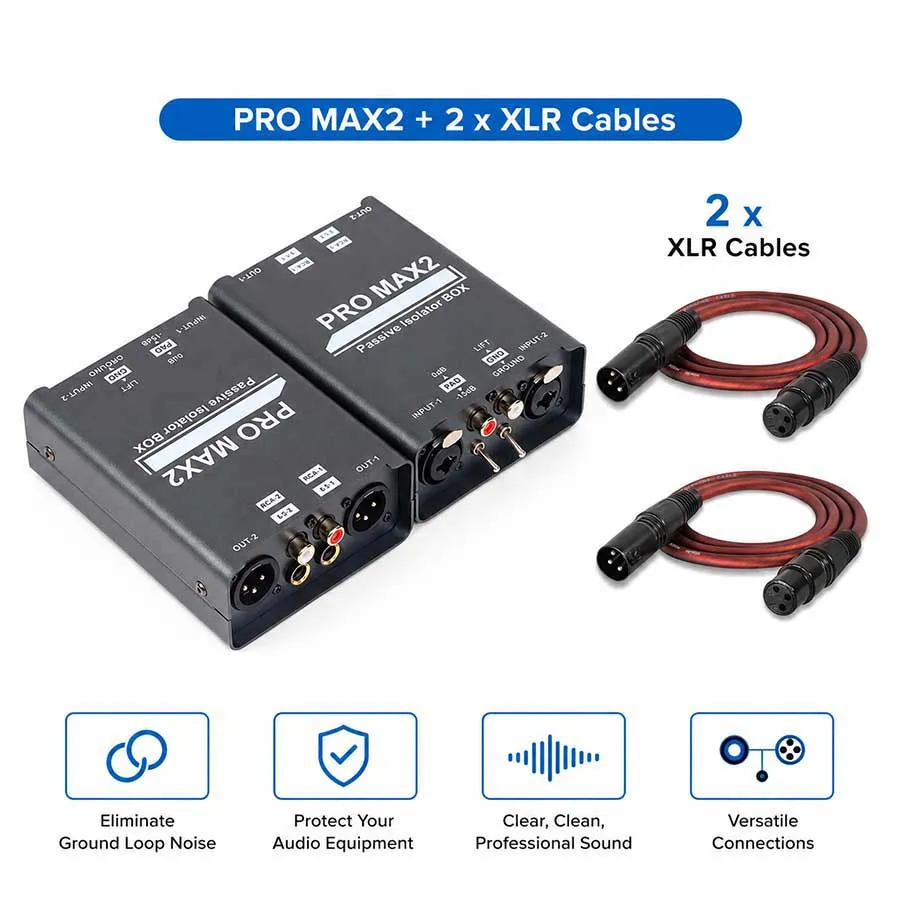
Live Sound Solution: PRO MAX2 vs Standard Stage DIs
| Stage Challenge | Standard Active DI Box | PRO MAX2 Passive Isolator BOX |
| Power Dependency | Requires 48V Phantom / Battery | 100% Passive (No Power Required) |
| Interface Versatility | XLR or 6.35mm only | Full Matrix (XLR, 6.35mm TRS/TS, RCA) |
| Signal Overload Handling | Prone to distortion | Dual Mode: 0dB / -15dB PAD Switch |
| Stage Durability | Lightweight plastic/thin sheet | Heavy-Duty Anodized Aluminum Chassis |
Frequently Asked Questions:
What is the difference between a standard DI box and a passive audio isolator for DJ rigs?
Answer 1:
Standard DI boxes are designed to convert high-impedance instrument signals (like guitars) to mic-level signals. A passive line isolator like the PRO MAX2 is built specifically for line-level gear (DJ mixers, laptops, interfaces) to break ground loops with 1:1 transformers without dropping signal voltage or changing impedance.
Should I turn on the -15dB PAD switch on my audio isolator?
Answer 2:
Engage the -15dB PAD switch if your DJ mixer or audio interface is outputting a very high signal level (“hot” signal) that distorts the input channel of the venue’s PA system or front-of-house mixer.
Does a passive isolator need phantom power or batteries on stage?
Answer 3:
No. Passive audio isolators use internal magnetic transformers to pass audio and require zero electrical power, phantom power, or batteries, making them 100% plug-and-play for live gigs.