
That persistent, low-pitched 60Hz drone coming from your active studio monitors is one of the most frustrating issues in home and professional recording setups. You turn on your studio monitors, hit play on your DAW, and behind your crisp mix is a constant, annoying background hum that refuses to go away.
As a 20-year audio engineer, I see this issue daily on popular active monitors like the Yamaha HS series, KRK Rokits, and JBL 3-Series. The good news? Your speakers are rarely defective. You are dealing with a classic AC ground loop interference, and it can be completely eliminated with the right signal flow adjustments.
Understanding the Physics of 60Hz Monitor Hum
In North America and many parts of the world, standard wall outlets deliver alternating current (AC) at 60Hz (or 50Hz in Europe). Active studio monitors contain powerful internal amplifiers that draw direct power from these wall outlets.
A 60Hz hum occurs when there is a ground potential voltage difference between your active speaker’s built-in amplifier and the source device (audio interface, mixer, or DAC).
[ Wall Outlet / AC Power ]
      │
      ├──────────────────────────────┐
      ▼                              ▼
[ Audio Interface ]           [ Active Studio Monitor ]
      │                              │
      └──────► [ Audio Cable ] ◄─────┘
              (60Hz Ground Loop Path)
- The Shared Path: Both your audio interface and your active monitors are connected to AC wall ground.
- The Ground Loop: Current flows in a continuous circle along the ground wire of your 6.35mm (1/4″) TRS or XLR audio interconnect cables.
- Amplified Hum: The monitor’s internal high-gain amplifier detects this micro-voltage fluctuation along the audio shield and amplifies it directly through the woofer as a solid 60Hz hum.
Step-by-Step Diagnostic Test
Before buying new gear, run this 30-second isolation test to locate the exact source of the noise:
Step 1: The Disconnect Test
Unplug the 6.35mm or XLR audio cable from the back of your studio monitor while leaving the power cable plugged in and the monitor switched ON.
- If the hum disappears completely: Your monitor is fine! The 60Hz hum is entering externally through the audio signal/ground line.
- If the hum persists: The monitor is picking up dirty AC power directly from the wall outlet or magnetic interference from a nearby power transformer or wireless router.
Step 2: Test Power Outlets
Plug both active monitors and your audio interface into the exact same heavy-duty power strip. This ensures all units share a single, unified reference ground point. If the 60Hz hum drops significantly, ground voltage differential was the culprit.
Why Generic Ground Isolators Fail on Studio Monitors
Many producers try fixing 60Hz hum with cheap $10 3.5mm line isolators. However, standard cheap audio transformers suffer from severe low-frequency core saturation.
When low-frequency audio signals (under 100Hz) pass through undersized transformer coils:
- Deep bass punch (sub-bass below 60Hz) gets completely muffled or rolled off.
- Harmonic distortion increases in the low-mids.
- Transient response becomes muddy.
For active studio monitors, you need a high-headroom, pro-grade passive dual-channel line isolator engineered with flat frequency transformers.
The Professional Fix: True Galvanic Isolation
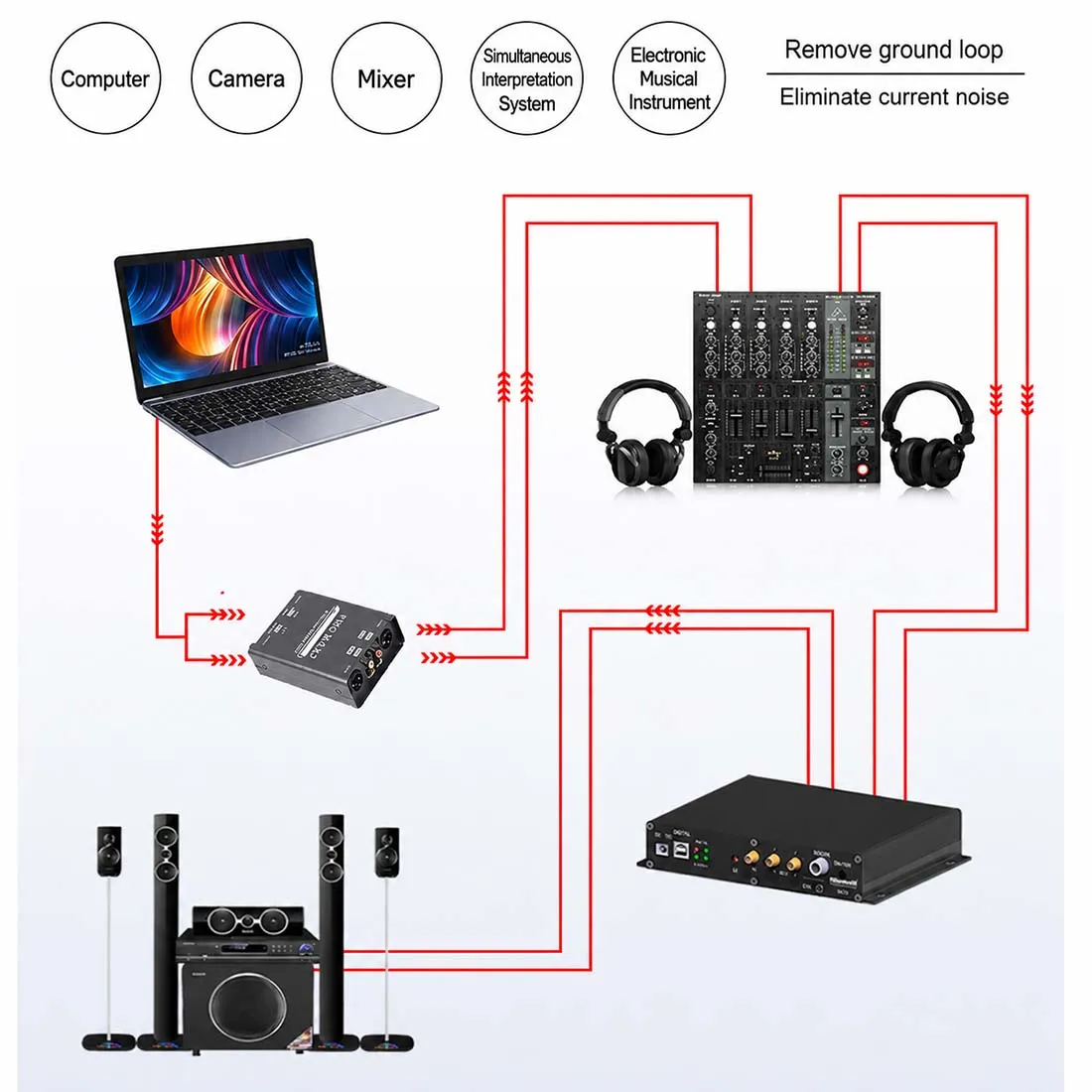
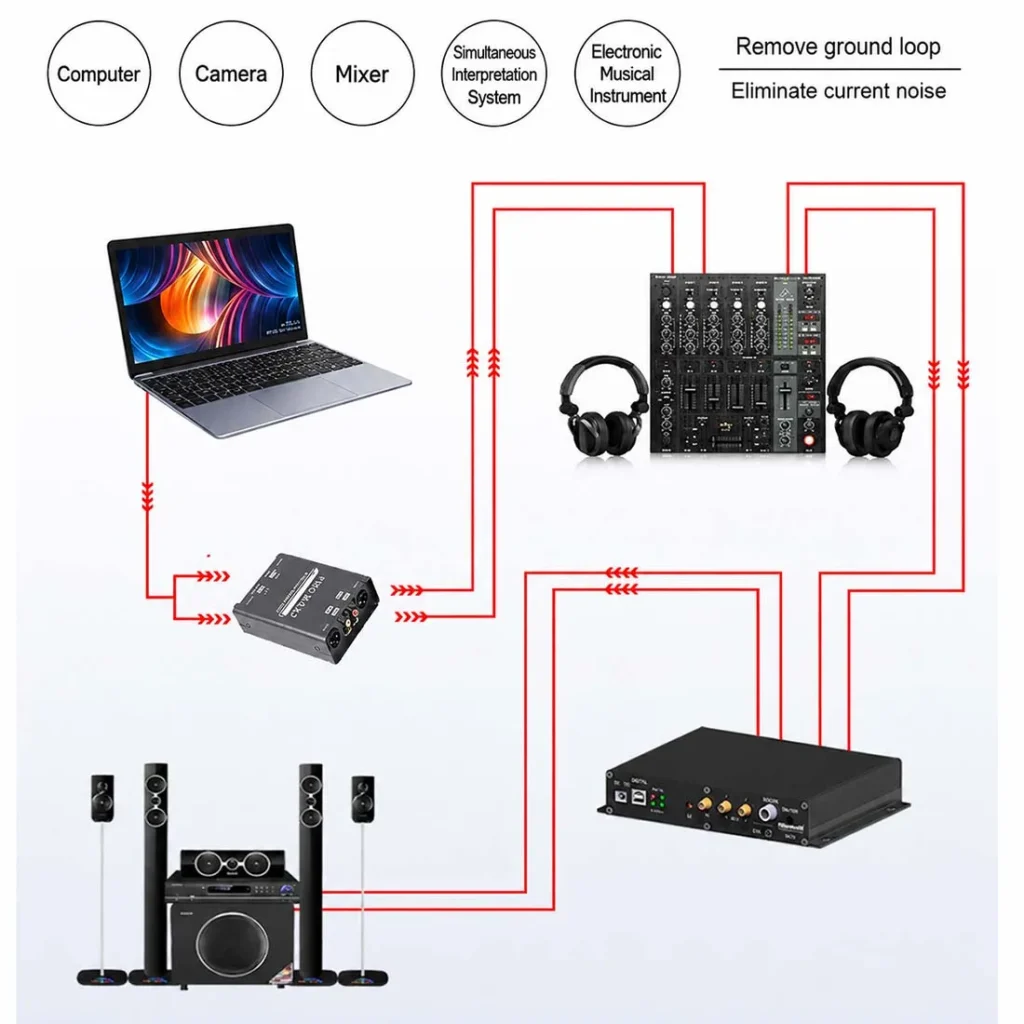
To eliminate the 60Hz hum without sacrificing a single decibel of bass or high-end clarity, place a dual-channel passive ground isolator between your audio interface outputs and your studio monitors.
[ Audio Interface ]
       │ (6.35mm TRS or XLR Out)
       ▼
[ FS-ELEC PRO MAX2 Isolator ] ──► (Tuned Transformers + Ground Lift)
       │ (6.35mm TRS or XLR Out)
       ▼
[ Active Studio Monitors ]  ====> Completely Silent Background!
Why the FS-ELEC PRO MAX2 Solves Studio Monitor Hum:
- 20Hz – 25kHz Flat Frequency Response (±0.2 dB): Custom-wound audio transformers ensure your kick drums, sub-bass, and low-end translation remain 100% intact with zero bass loss.
- Pro Matrix Connections: Native dual XLR, 6.35mm (1/4″), and RCA ports allow you to connect any audio interface output straight to any monitor input without tone-degrading adapters.
- Dedicated Ground Lift Switch: Safely severs the physical copper ground wire between devices on the audio line while maintaining full signal shielding and galvanic protection up to 1500V.
- -15dB PAD Switch: If your audio interface outputs an ultra-hot signal that causes input clipping on active monitors, flip the -15dB PAD for pristine, distortion-free headroom.
Summary Checklist for Silent Studio Monitors
- Always run balanced 6.35mm TRS or XLR cables instead of unbalanced TS instrument cables.
- Power your interface, PC, and monitors from a single high-quality surge protector.
- Insert a dual-channel passive line isolator like the FS-ELEC PRO MAX2 between your interface and monitors to physically break 60Hz ground loops and achieve absolute silence.
Frequently Ask Question:
A: This is usually caused by a 60Hz AC ground loop between your audio interface and active monitor power sources. Inserting a passive audio ground isolator severs this electric loop instantly.
A: Cheap isolators do due to core saturation, but professional isolators like the PRO MAX2 feature 20Hz-25kHz flat response transformers that preserve all low-end frequencies.